conduct Commands
Sequence diagrams for each conduct subcommand — the C4 dynamics level of
the conduct architecture. Participants are conduct's internal
packages: cmd/ (Cobra commands), topology/ (topology parsing and
validation), plan/ (execution plan builder), state/ (deployment state
under ~/.local/share/conduct/), executor/ (SSH runner) — plus the
externals they talk to (filesystem, the ssh client, and through it the
remote nodes where pipeline tools such as lay, enjoin, weaver, and
waiter actually run). The shipped binary has exactly four subcommands:
deploy, status, exec, and destroy.
conduct deploy
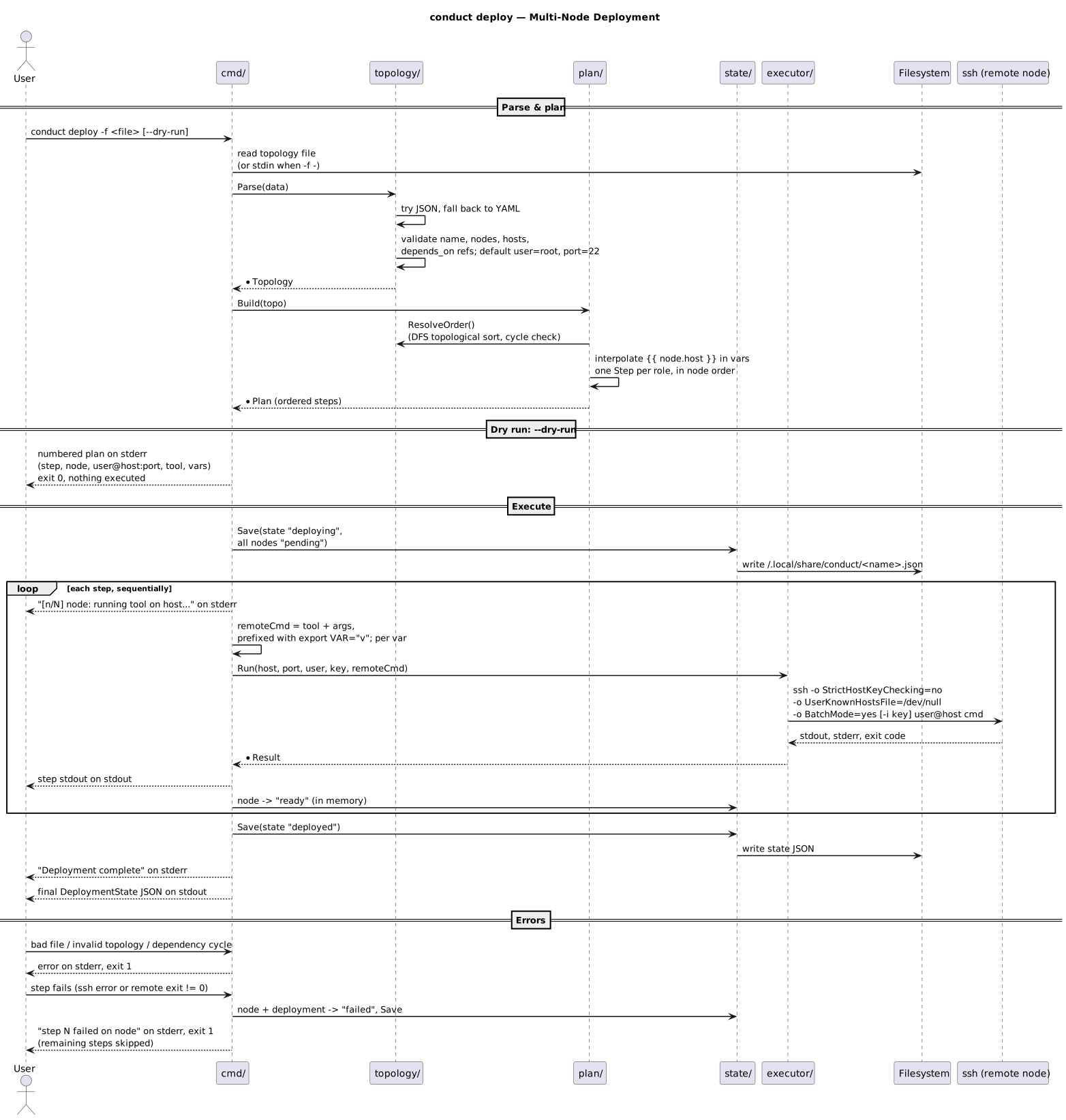
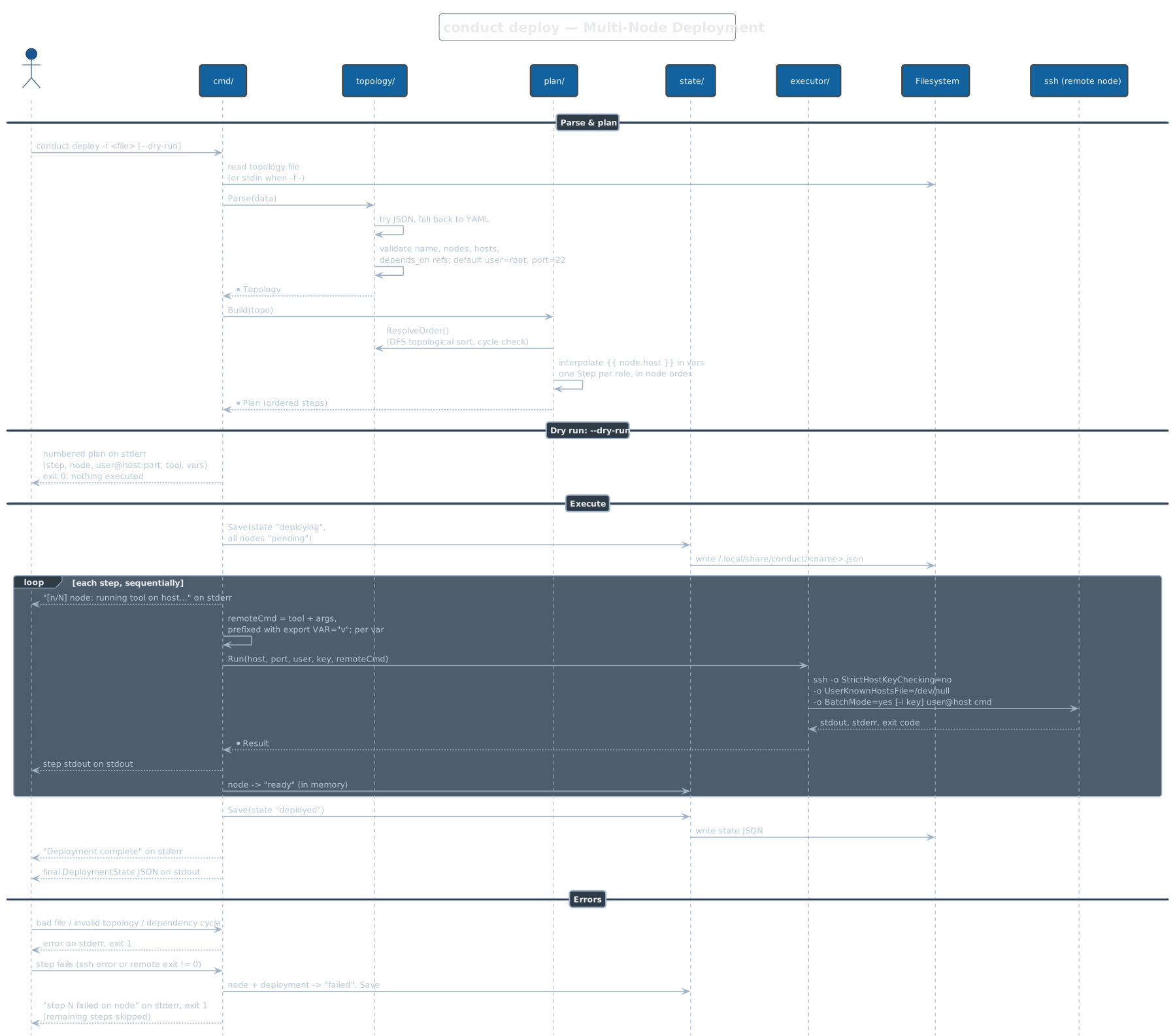
Reads a topology file (-f, required; -f - reads stdin; JSON tried
first, then YAML), validates it, topologically sorts nodes by
depends_on, and builds one step per node role. --dry-run prints the
numbered plan to stderr and executes nothing. A real run executes steps
sequentially — never in parallel — over ssh (host-key checking
disabled, BatchMode=yes, per-node user/port/key honored), with
cross-node vars like {{ db-server.host }} interpolated and injected as
export VAR=...; prefixes on the remote command. Progress goes to stderr,
remote stdout to stdout, and the final deployment state as JSON on stdout;
the first failing step marks the node and deployment failed and exits 1.
Note: a role's entities list is parsed from the topology but never used —
no entity file is copied to the node, so the remote tool must already have
its inputs.
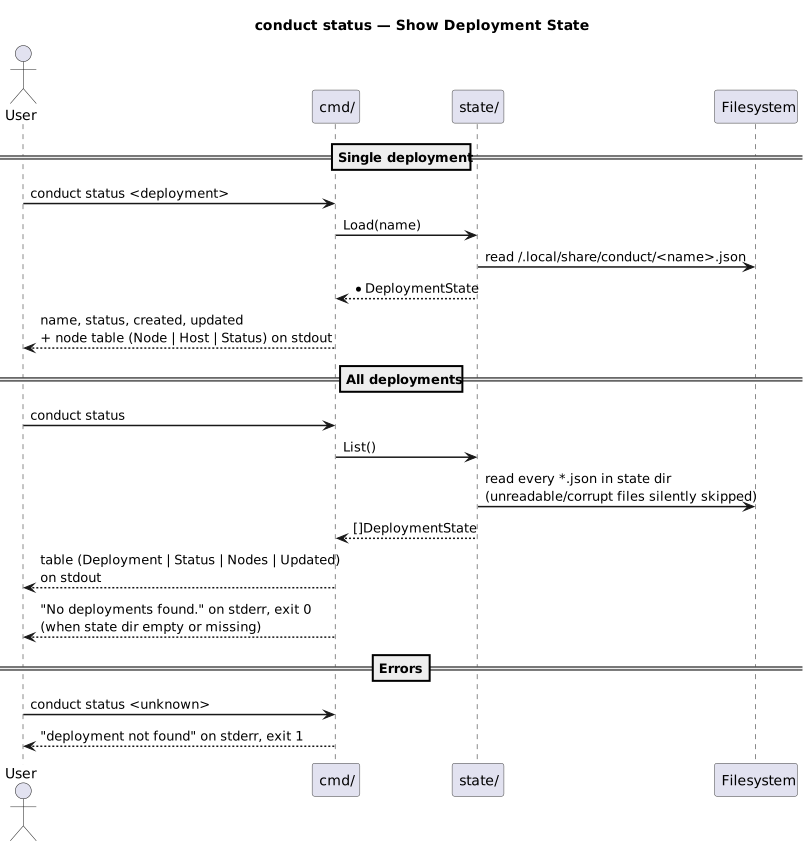
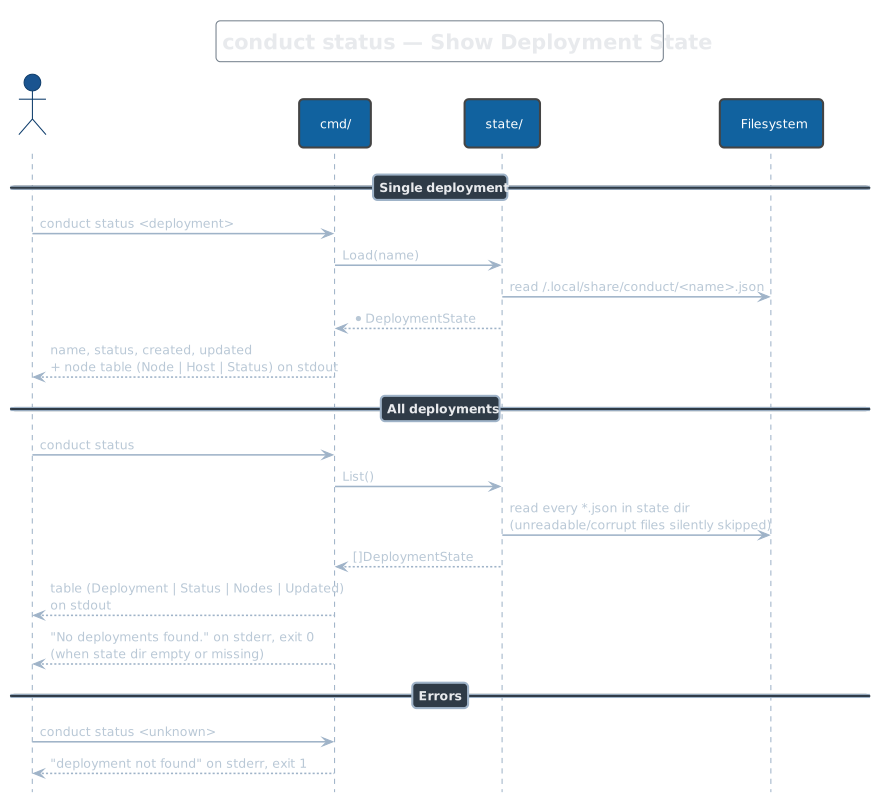
conduct status
With a deployment name, loads its state file and prints the deployment
header plus a node table (Node | Host | Status) to stdout; an unknown name
is an error, exit 1. Run bare, it lists every *.json in the state
directory as a summary table — unreadable or corrupt state files are
silently skipped, and an empty or missing state directory prints
"No deployments found." on stderr and exits 0. Status is read purely from
local state; no node is contacted, so it reflects the last deploy run,
not live reality.
conduct exec
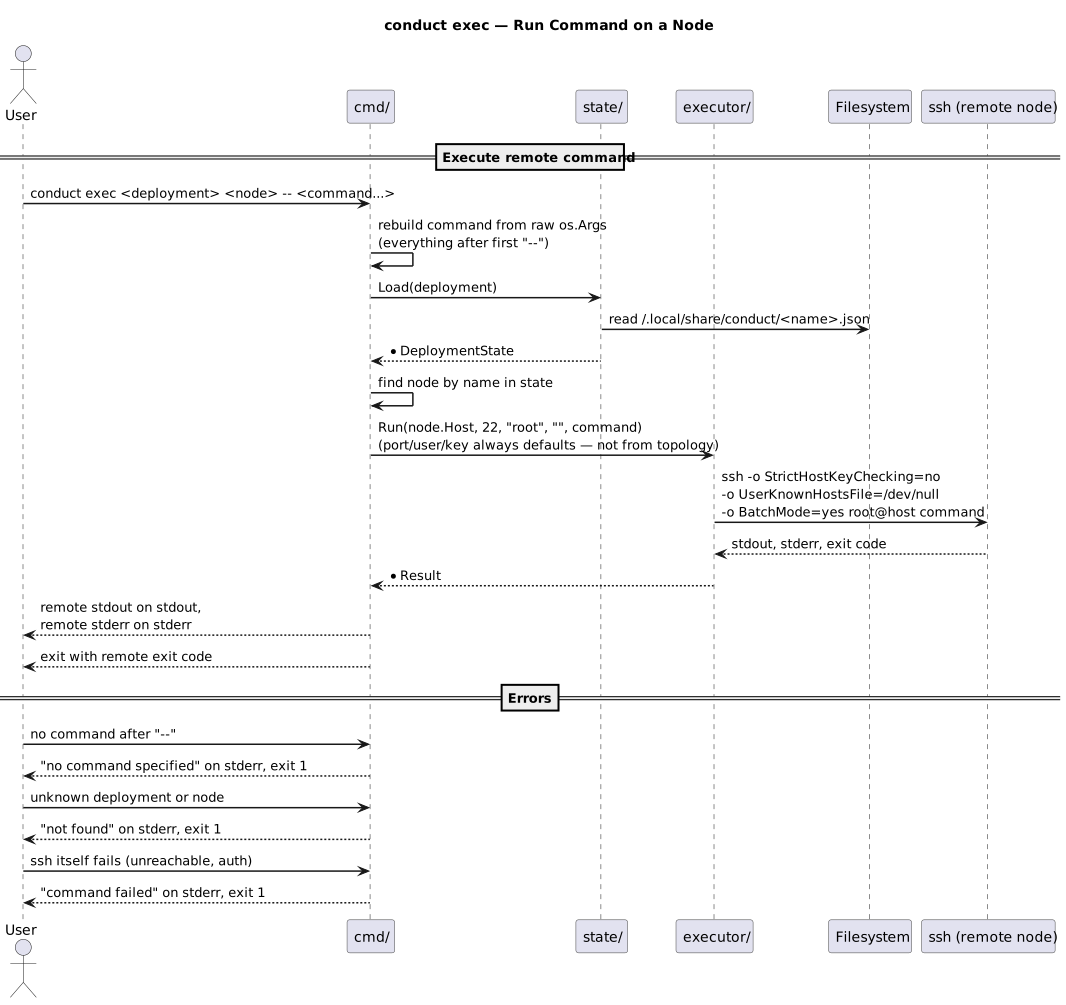
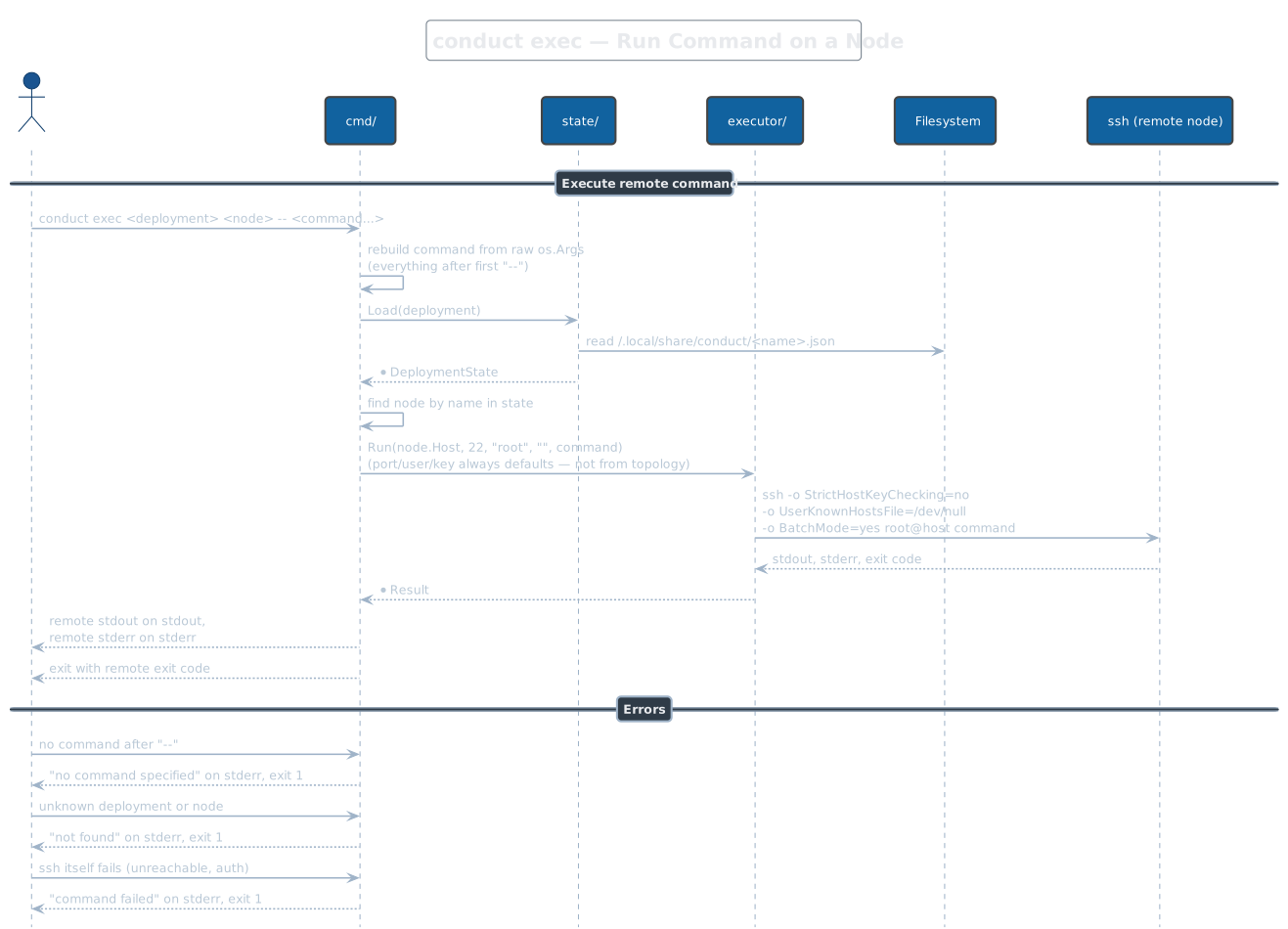
Runs an arbitrary command on one node of a recorded deployment:
conduct exec <deployment> <node> -- <command...>. Everything after the
first -- in the raw argument vector becomes the remote command; without
-- any trailing positional words are joined instead, and no command at
all is an error, exit 1. Remote stdout/stderr are passed through and the
process exits with the remote command's exit code. Gotcha: the connection
always uses root@host on port 22 with no identity file — the topology's
per-node user, port, and key are not persisted in the state file, so
exec ignores them even when deploy used different values.
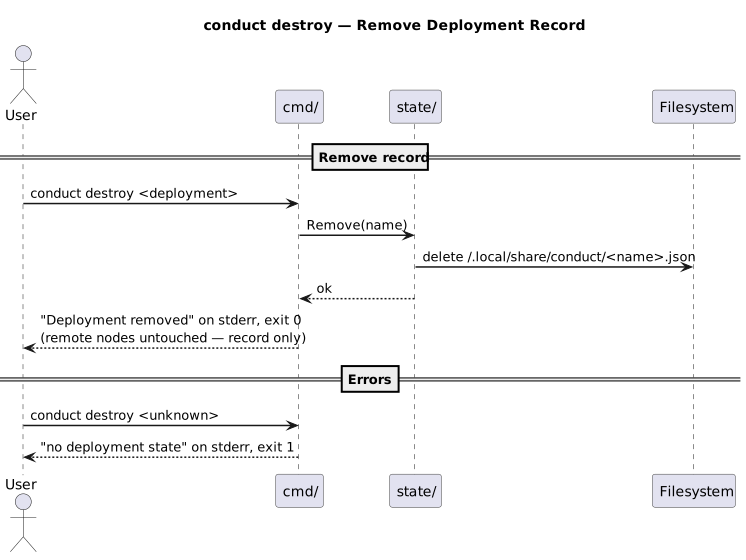
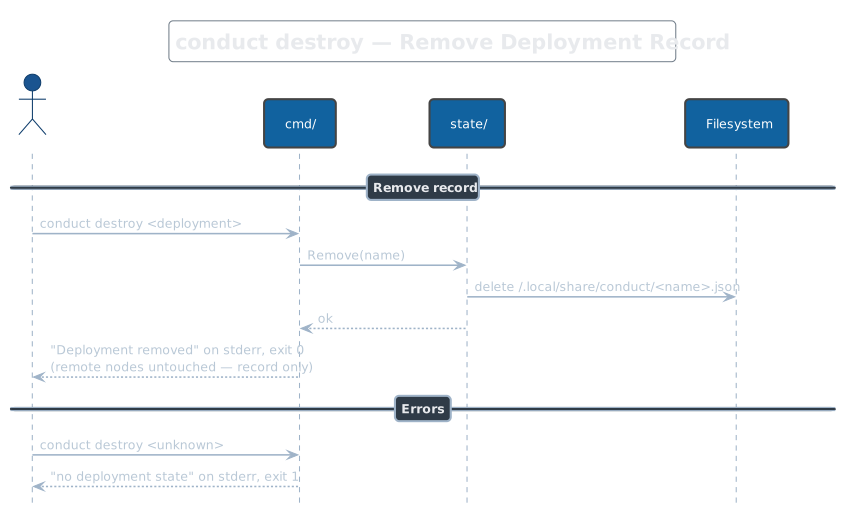
conduct destroy
Deletes the deployment's state file from ~/.local/share/conduct/ and
confirms on stderr; a name with no state file is an error, exit 1. Despite
the verb, nothing is torn down: no SSH connection is made and remote nodes
are left exactly as deployed — this removes the record, not the
infrastructure.