doorman Commands
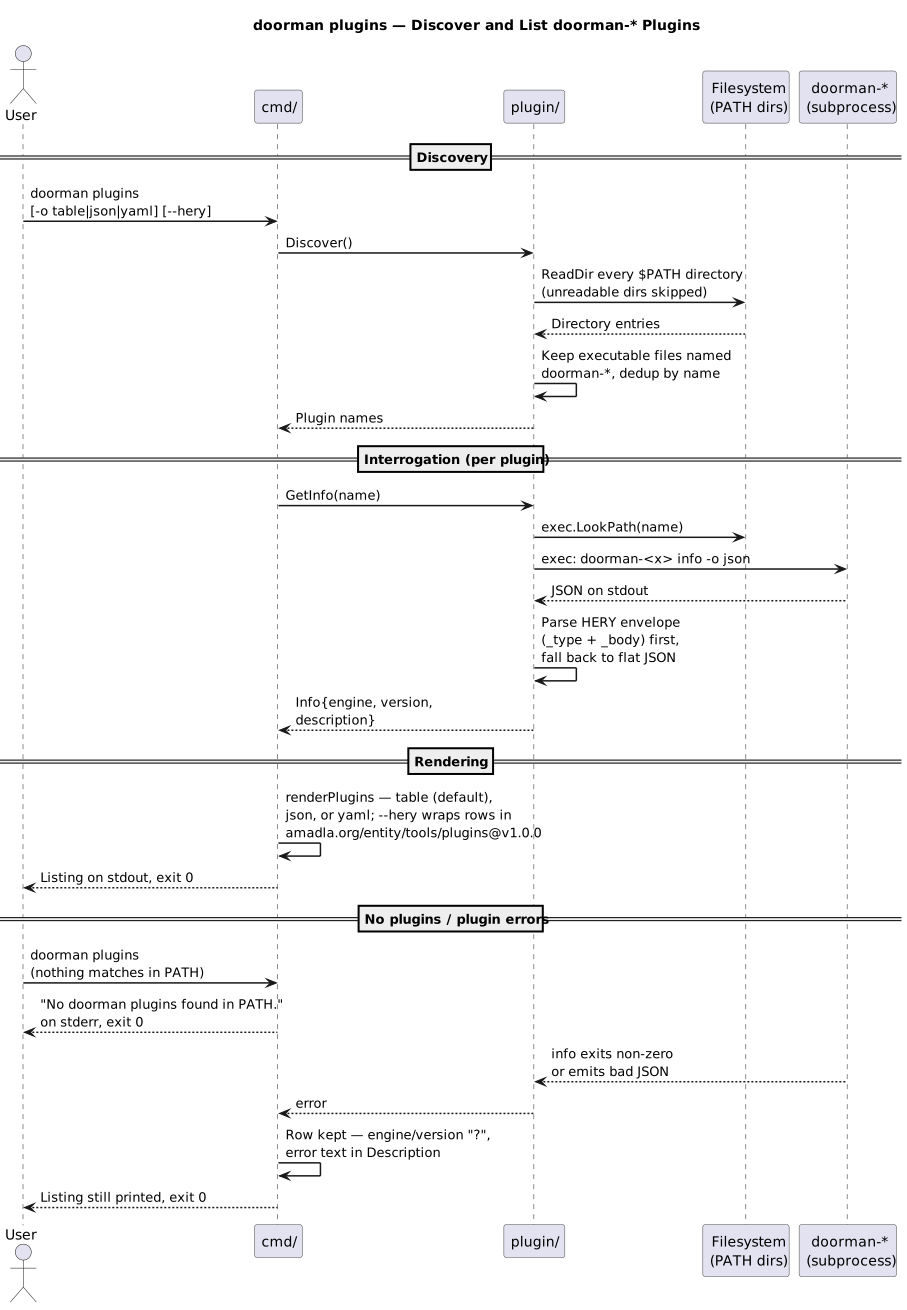
Sequence diagrams for each doorman subcommand — the C4 dynamics level of
the doorman architecture. Participants are doorman's two
internal components — cmd/ (Cobra command handlers) and plugin/
(discovery and subprocess delegation) — plus the externals they talk to:
the filesystem (PATH directories) and the doorman-* plugin
subprocesses. The current code ships exactly these two subcommands; the
resolve, list, and settings commands mentioned in older docs are not
present in the source.
doorman get
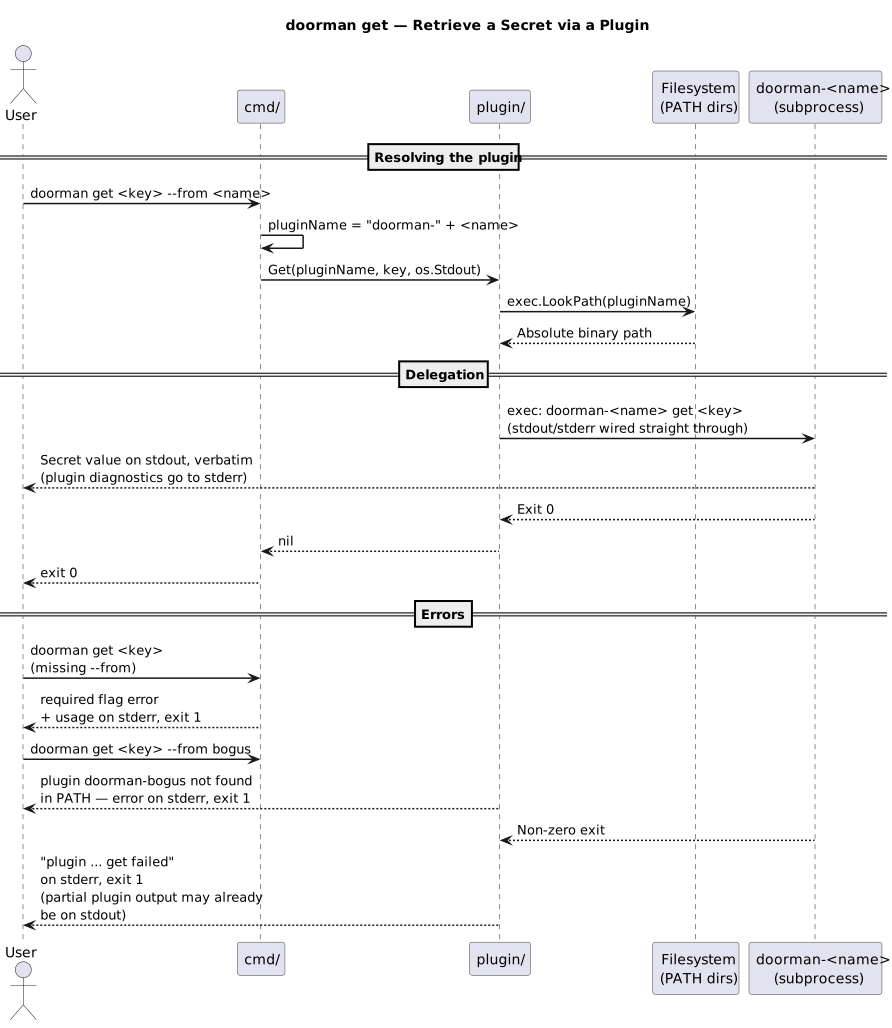
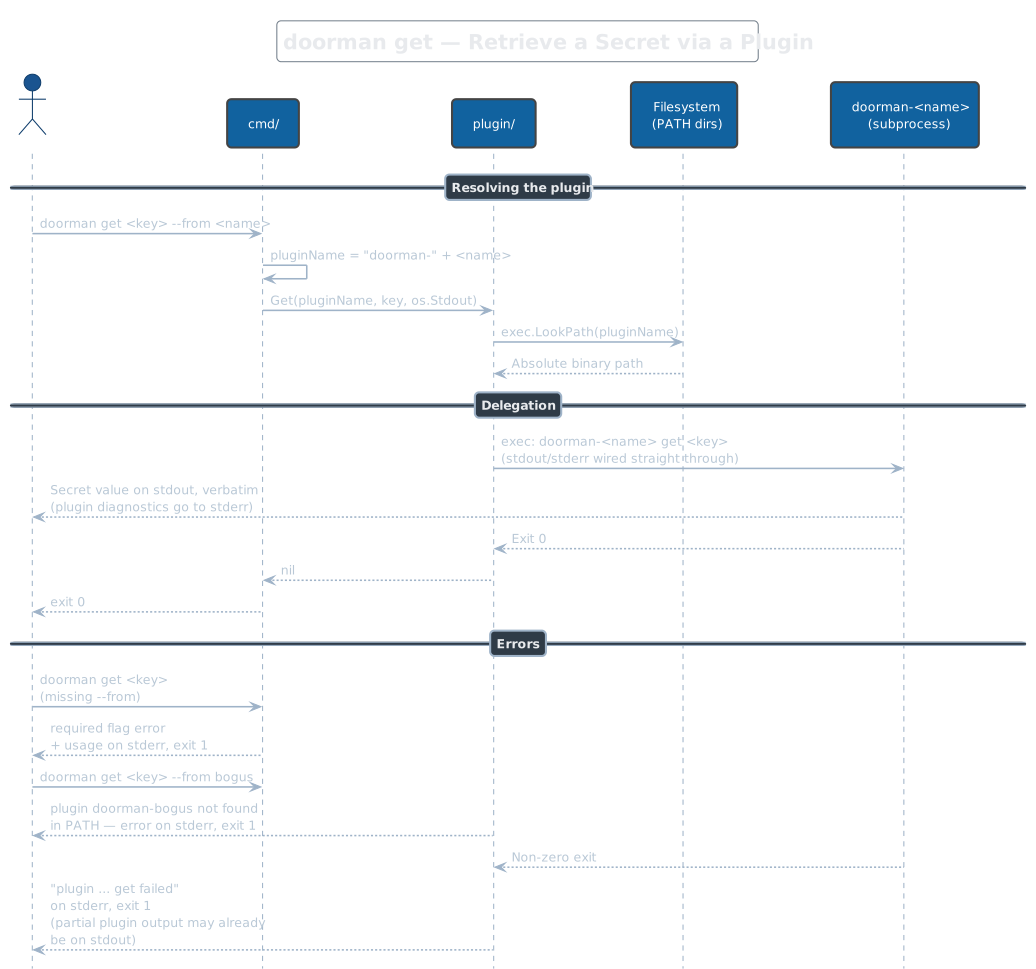
Retrieves one secret by key. --from <name> is required and names the
backend; doorman prefixes it to build the binary name (--from vault →
doorman-vault), resolves it on PATH, and runs doorman-<name> get <key>
with its stdout and stderr wired straight through — the secret reaches the
caller verbatim, with no framing or trailing newline added by doorman.
Exit is 0 on success, 1 if the flag is missing, the plugin is not on PATH,
or the plugin exits non-zero. Note the repo README shows an auto-detect
form without --from; the code has no such path — the flag is mandatory.
doorman plugins
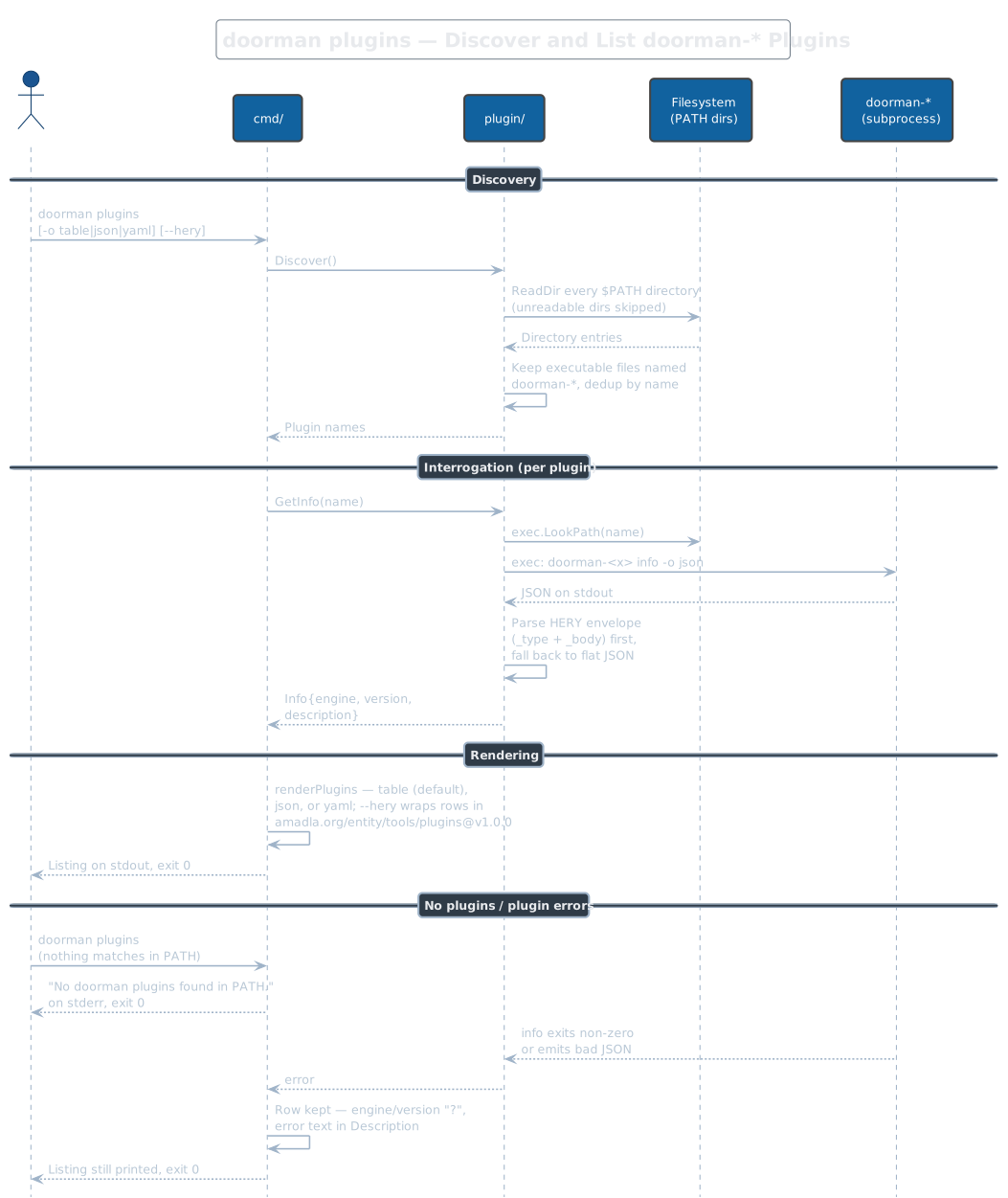
Scans every PATH directory for executable files named doorman-*
(unreadable directories are silently skipped, deduplicated by name),
then runs <plugin> info -o json on each and parses the reply — HERY
envelope (_type/_body) first, flat JSON as fallback. Output is a
table by default, or -o json|yaml; --hery wraps the rows in an
amadla.org/entity/tools/plugins@v1.0.0 envelope. An unrecognized -o
value silently falls back to table. A plugin whose info call fails still
gets a row (? fields, error in the description), and finding no plugins
prints a notice on stderr — both cases still exit 0.